接之前发的那篇,主要内容是个人使用revyOS时的使用体验
0.在下载github网站上的文件时,如果网络不好的话可以先在其他设备上下载好然后用数据线(或网站)传输文件到开发板上
在使用代理网络时,需要以下命令才能正常使用chromium
chromium \
  --no-sandbox \
  --proxy-server="http://127.0.0.1:7890"
1.chromium extensions
chromium --version
Chromium 109.0.5414.119 built on Debian 12.0, running on Debian trixie/sid
这里计划安装几个extension看一下使用体验
- bypass-paywalls-chrome-clean
功能可以正常流畅使用 - Adblock Plus
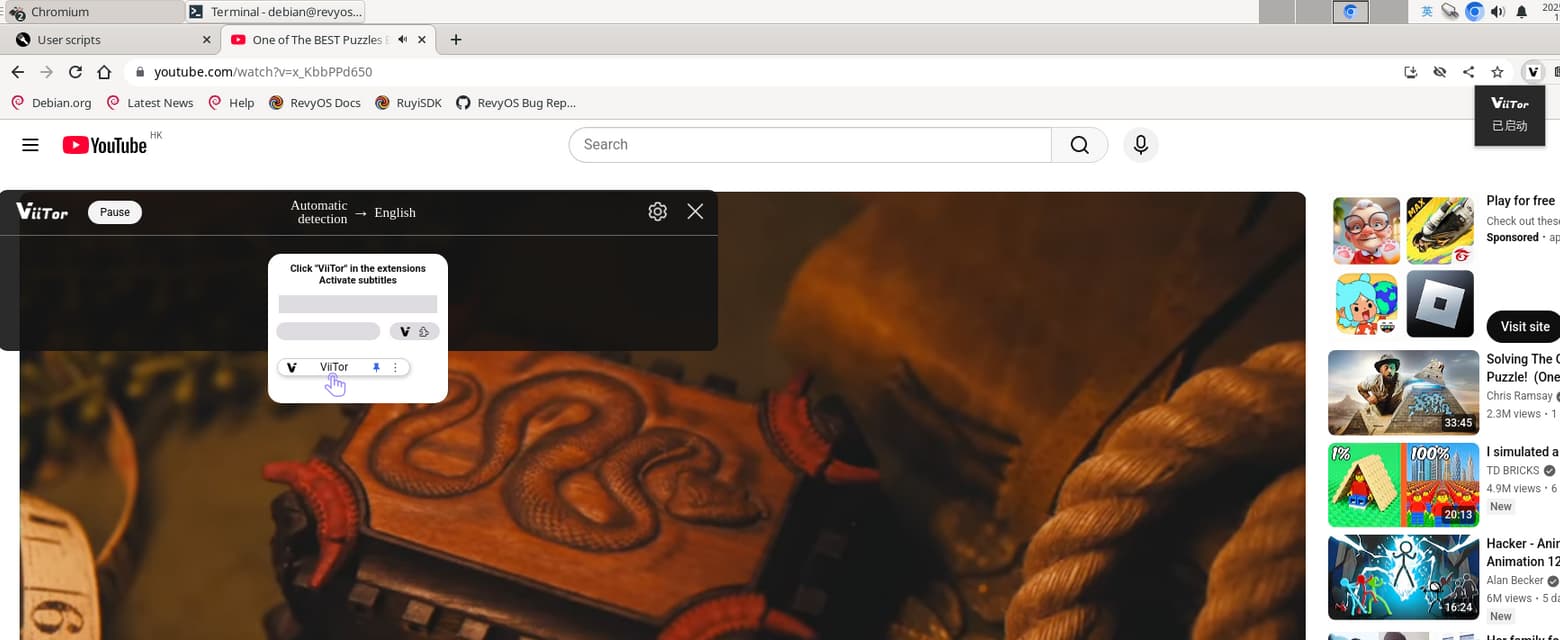
出现提示:This item is not compatible with your current Chrome version - viitor
无法正常使用,明明已经开启了但是一直提示要开启,原因未知
2.[logiops](An unofficial userspace driver for HID++ Logitech devices)
这是一个为 Logitech 鼠标和键盘开发的非官方驱动程序,主要功能是可以让用户自定义鼠标按键、滚轮、手势等。
sudo apt update
sudo apt install cmake libevdev-dev libudev-dev libconfig++-dev
git clone --recursive https://github.com/PixlOne/logiops.git logiops-main
cd logiops-main
mkdir build && cd build
cmake .. && make -j$(nproc)
sudo make install
sudo systemctl enable --now logid

可以成功编译和安装,但是无法运行
[ERROR] Could not create input device: No such file or directory可能因为内核未编译uinput模块
sudo modprobe uinput
sudo logid -v
modprobe: FATAL: Module uinput not found in directory /lib/modules/6.6.92-th1520
[INFO] Config file does not exist, using empty config.
[ERROR] Could not create input device: No such device
最后就是如果用默认的Imagemagick打开gif文件显示的是静态图片。用eog或mpv查看gif文件,可以正常显示。用Peek制作的gif是花屏,无法正常显示。
以上内容仅代表个人实际使用过程中遇到的情况。有更多的使用技巧和经验欢迎多多交流,欢迎提出更多的建议。