本文介绍基于 RuyiSDK 安装 XSCC 工具链,以 tetris 和 2048 游戏为例,演示通过 XSCC 编译游戏代码并在 ruyi-qemu 运行 RISC-V 可执行文件的流程。
开始
使用 ruyi 安装 xscc 工具链
ruyi update

ruyi list --name-contains 'xscc'

ruyi install xscc
当然也可以使用 Eclipse 中的 RuyiSDK 插件安装 xscc
-
打开 Eclipse,找到顶部菜单栏的 Window → Show View → Other → RuyiSDK → Ruyi Package Explorer 进入包管理器
-
选择 xscc 工具链并点击 Download
-
等待下载完毕~

使用 xscc 编译游戏
获取游戏项目
git clone https://github.com/troglobit/tetris.git
使用 Eclipse 打开
找到顶部菜单栏:File → Open Projects from File System…

创建虚拟环境
- 打开终端(右键项目目录),进入项目目录

- 输入下面的命令,即可创建虚拟环境
xscc-venv
ruyi venv -t xscc --sysroot-from gnu-upstream generic -e qemu-user-riscv-upstream ./xscc-venv
激活环境并编译游戏
- 激活虚拟环境,命令行输入:
source ./xscc-venv/bin/ruyi-activate
- 使用 xscc 中的 clang 编译游戏
clang ./tetris.c -o ./tetris-clang
- 当然也可以使用 xscc 中的 gcc
riscv64-unknown-linux-gnu-gcc ./tetris.c -o ./tetris-gcc
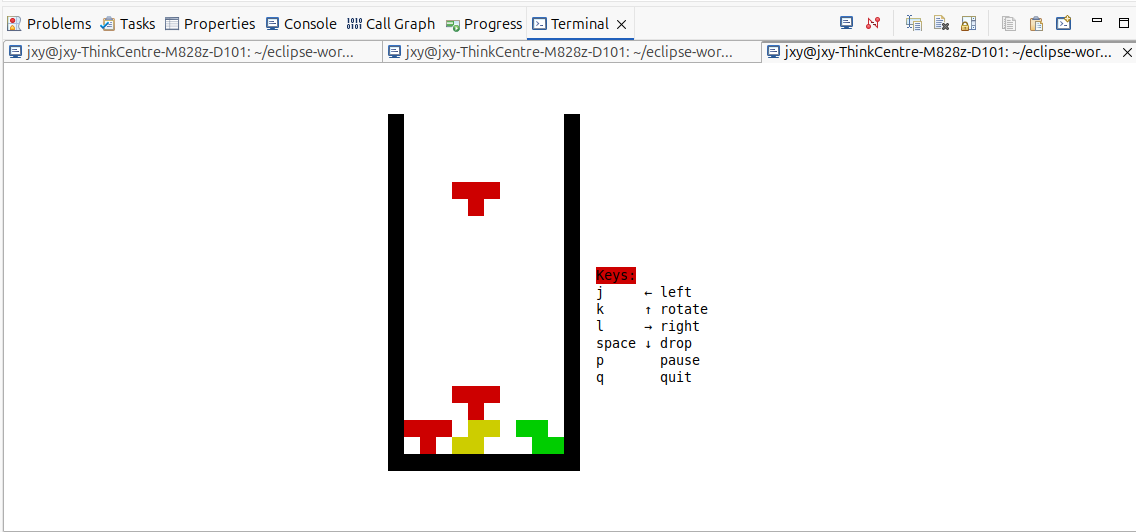
- 游玩
ruyi-qemu ./tetris-clang
另一篇博客基于 RuyiSDK 虚拟环境编译 2048 并在 QEMU 运行 RISC-V 可执行文件也可使用 xscc 工具链进行编译,命令贴在下面:
git clone https://github.com/mevdschee/2048.c.git

cd 2048.c

ruyi venv -t xscc --sysroot-from gnu-plct-xthead generic -e qemu-user-riscv-xthead ./xscc-venv

source ./xscc-venv/bin/ruyi-activate

clang ./2048.c -o ./2048-clang

ruyi-qemu ./2048-clang